Full Stack Filmmaker Framework™ — Compositing Academy Pre-Order $449

Full Stack Filmmaker Framework

Full Stack Filmmaker Framework

Make cinematic VFX films without a studio behind you.

A complete system for planning, shooting, and finishing hybrid live-action and CG films with a small crew and a small budget. Every lesson comes from real shots on real productions.

Taught in Blender Nuke ComfyUI
Pre-Order the Course See the curriculum $449 pre-order · $549 after release
A new category

Four crafts that almost never live in one person.

In a traditional pipeline these are four different chairs, four different departments — and the seams between them are where projects slow down.

Filmmaker
Directs the vision
VFX Supervisor
Plans VFX shots, manages other artists
3D Generalist
Lights and assembles 3D worlds
Compositor
Finishes the frame

Full Stack Filmmaker

This course creates a Full Stack Filmmaker — a new kind of generalist that bridges these four skillsets.

Filmmaker VFX Supervisor 3D Generalist Compositor
The productions behind it

Not theory. Multiple finished projects, from a practitioner.

Every module was tested on real productions. You learn from the shots, not from slides.

The Rider · 10 shots · production complete
The Rider
Iceland volcano photogrammetry, drone-scanned terrain, greenscreen-to-desert integration, and FX-heavy finishing by a tiny team.
Primary case-study of the course · Footage + CG assets + elements are provided
The DragonCreature integration · virtual productionAssets not included · We study examples from this project
The TemplarDrone previs · extended CG camerasAssets not included · We study examples from this project
Greenscreen Virtual ProductionSimulcam · live CG framingAssets not included · We study examples from this project
Ice Apocalyptic Set ExtensionSet extension · full CG environmentAssets not included · We study examples from this project
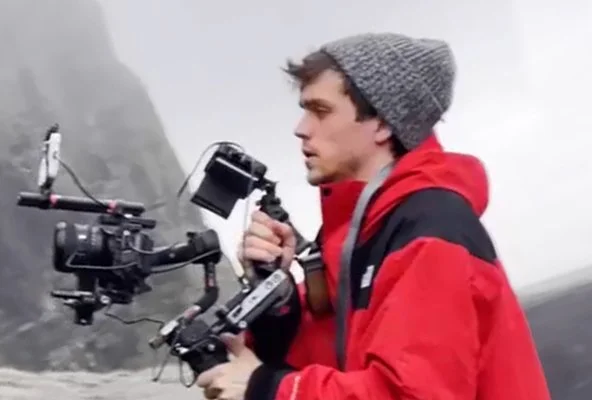
Instructor portrait

Your Instructor

Alex Hanneman IMDb Verified

Alex is a Senior Compositor with experience on numerous feature films. He has worked at top VFX studios worldwide, including Weta Digital, Industrial Light & Magic, Sony Pictures Imageworks, and more.

  • Feature-film credits
  • Senior Compositor
  • Worked at numerous top studios
End to end

One artist. Full pipeline.

The Live-Action Bridge: every stage of a VFX film, from the plan to the final pixel, carried by one person who understands how each stage feeds the next.

01
Planning
Previs & scans
02
Filming
On set
03
VFX Supervision
Capture it right
04
3D Layout
Worlds & scale
05
Lighting
Cinematic look
06
Compositing
Final pixel
The mindset

Become the world builder, not the asset creator.

This course isn't about modeling, texturing, or simulating FX. All four roles share one job — deciding the framing, composition, and storytelling of the shot.

Asset creator
Goes deep on a single piece.
Modeling Texturing FX sim
vs
World builder
Composes the whole frame.
Framing Composition Story

Then you choose where every asset comes from

With real understanding across all four disciplines, you orchestrate the shot — you don't have to build every piece yourself.

Pre-existing assets
Libraries, kitbash, stock
Yourself, or your own team
Be a solo artist, or scale to your own team
ComfyUI Generated Assets* (Optional)
Specific pieces, on demand

* Generated assets still have real limits today. They can't do everything, and we map exactly where they deliver and where they break down.

You decide which form of asset each shot needs — pre-built, hand-made, or generated — and assemble them into one finished frame.
Curriculum

What you'll learn, module by module.

Here's the map of the course. Each module lists a few of its lessons so you can see the territory it covers. The full breakdowns, exact setups, and case studies live inside.

Module 01 Greenscreen, solved

Shoot greenscreen that keys cleanly, tracks reliably, and matches CG environments, including the shots people say you can't do on green.

1.1Lighting greenscreens, and lighting actors to match CG worlds
1.2Tracking greenscreen and shallow depth-of-field shots
1.3Depth of field and rack focus techniques for greenscreen
Full Lesson List Available when Course Releases
Module 02 Plan before you burn money

Previs and on-set planning workflows that kill expensive surprises. Scan your space, measure your set, and know a shot works before you roll.

2.13D scanning your shooting space so you can plan inside it
2.2Set measurement, from tape measure to lidar to photogrammetry
2.3On-set previs methods from our drone and rider shoots
Full Lesson List Available when Course Releases
Module 03 The cost-control playbook

The core of the framework: shot design, lighting design, and production design decisions that make cheap shots read expensive, studied through well-known films and our own productions.

3.1Shot design economics: parallax, silhouettes, and camera moves priced honestly
3.2Perception vs. reality: why some "expensive" sets cost almost nothing
3.3Lighting strategies that hide budget limitations
3.4Minimalist vs. cluttered design, and when each one saves you
3.5Using AI assets strategically without the AI look
Full Lesson List Available when Course Releases
Module 04 The live-action bridge The heart of the course

The complete end-to-end pipeline: previs, filming, tracking, scene alignment, lighting, compositing, and final render. Walked through on real shots, start to finish.

4.1Scene alignment for every scenario, even unknown cameras and lenses
4.2Camera projections and image planes in Blender, done right
4.3Our Blender to Nuke lighting workflow, from slap comp to final
Full Lesson List Available when Course Releases
Module 05 Camera language for virtual worlds

Make virtual cameras move like they're held by a human with taste, and extend real camera moves into CG space so nobody can tell where the set ended.

5.1Virtual camera fundamentals and motion cleanup
5.2Forcing depth: parallax, reflections, particles, and lens compression
5.3Extending greenscreen camera moves into full CG shots
Full Lesson List Available when Course Releases
Module 06 Pipeline that lets you finish

The unglamorous layer that decides whether your film ships: file management, render speed, and working around slow tooling instead of waiting for it.

6.1Solo-artist pipeline: file management, versioning, and asset libraries
6.2EXR management and render optimization for normal hardware
6.3Budget levels 0 through 4: the right strategy at every stage
Full Lesson List Available when Course Releases
Included with the course

The custom toolset we built to make this possible.

When existing tooling was too slow or didn't exist, we built our own. These are the same tools used to finish our productions, and they come with the course.

Blender

Previs and camera tools

Fast image planes, camera path helpers, proxy playback for heavy previs scenes, and virtual camera workflow add-ons.

Blender

Environment tools

Spot grading, object blending, projection tools, and LOD proxy management for building large environments that stay fast.

Nuke (Indie or Commercial required)

Relighting and comp tools

GPU-accelerated relighting and a set of compositing nodes that turn the slowest parts of hybrid work into quick, controllable steps.

Blender + Nuke

Pipeline tools

Automated read and write setups, script management, EXR export helpers, and the glue that keeps a solo pipeline organized.

Why this matters: a lot of what makes hybrid filmmaking painful is friction, not just skill. These tools remove the friction so the techniques in the course are actually usable at your pace.
Scalability

Stay a team of one — or scale into a studio.

The full bridge scales with you. Deliver an entire project solo, then use the exact same skills to build and direct a small team when the work demands it. Fewer people, lower cost, and output that punches well above your weight.

The skillset stays constant — only the crew scales

1
Solo
You deliver the whole project, end to end.
3–5
Small team
You direct a handful of specialists.
6+
Larger productions
You scale the crew as complexity grows.
Punch above your weight Lower cost per shot Full creative control

And it keeps scaling

Once you can ship complete projects on your own, you choose how to grow — in whichever direction the work demands.

Go deeper

Specialise in one discipline

Keep the full overview, then sharpen a single craft until it's a genuine signature strength.

or
Go wider

Grow your team

Bring in other artists and lead bigger, more ambitious productions as the work gets more complex.

The budget ladder

The framework meets you at zero dollars.

Every budget level has its own strategy. You don't need money to start. You need to know what your current level can and can't buy, and how to punch one level above it.

Levels 0 to 1

Asset-driven projects

Design projects around what already exists. Keep VFX-heavy work to a few hero shots. Make one shot film-level before attempting a film.

$0 to pocket money
Levels 2 to 3

1 + 1 = 4

Find collaborators with adjacent skills who share the upside. Outsource only the brutally time-intensive work.

A few thousand
Level 4

Small crew, real production

If you can film, supervise, do 3D layout, light, and comp yourself, you save tens of thousands. You only pay for assets, actors, and animation.

$10K to $15K
Levels 5 to 9

Production budgets

The same decision framework scales up. The judgment you build at level 1 is what keeps a real budget from evaporating.

$50K to $10M+

The course focuses on levels 0 to 4: getting level-5 results before you have a level-5 budget.

Pre-order open

Stop waiting for a budget. Start engineering one.

Pre-order the Full Stack Filmmaker Framework™ now and get early access benefits that won't be part of the regular release.

Pre-order benefits
Early access to exclusive tools and modules as they drop Full Stack Filmmaker studio pipeline, Nuke tools, and Blender tools $1,000+ value
Full access to the lava terrain scans Commercial use for small teams $500 value
Houdini-rendered stock element pack 4 relightable geyser smoke, 4 relightable debris and dirt impacts, 1 relightable giant explosion, 1 launching spark, 3 lens dirt video elements. Commercial use for small teams $400 value
The Rider vehicle + the Sky vehicle The hero 3D assets from the production $500 value
Full access to the entire course once it releases Estimated full release: 1.5 to 2 months
Recommended prerequisites
Nuke beginner experience. New to Nuke? You can bundle our Nuke Beginner Series with your pre-order in the panel on the right. Nuke Non-Commercial works for most workflows in the course, but Nuke Indie is required for our relighting tools.
Blender beginner knowledge. No course needed. A few hours of free YouTube tutorials will get you there before release.
Pre-order price
$449
$549 after full release
Save $100 + $2,400+ in production assets and tools

Lifetime access · All future updates included
Pre-orders are for a course in active development; curriculum may be refined before release.

FAQ

Common questions.

Do I need to know Blender or Nuke?

You need beginner knowledge of Nuke, which is covered in our Nuke Beginner Series.

Beginner knowledge of Blender is also required, and you can get it for free on YouTube. We aren't focusing on modeling or texturing every object from scratch. We use Blender for world assembly, lighting, and materials. If you're comfortable placing objects, setting keyframes, lighting, working with basic shaders, and rendering an image, you can take this course. A few hours of free YouTube Blender tutorials (4 to 5 hours) and you'd be ready.

Do I need to know ComfyUI?

No. ComfyUI is optional in this course, but we'll show some examples of how it can be useful if you want to use it. Some productions prevent generated assets from being used, so it's not core to this Framework.

For those examples we use ComfyUI Cloud, which is very simple, and we also show RunwayML as an alternative. Both interfaces are simple, and the workflows you actually need don't require over-complicated ComfyUI graphs.

ComfyUI Cloud does require credits, which may run $10 to 15 if you want to generate with it.

Do I need Beeble?

We use Beeble to generate normals. If you want to relight your own footage, you'll need a Beeble subscription for a month. However, if you just want to follow this course, you don't need to subscribe, as we provide the final output passes you need to practice with.

Is this a compositing course?

Primarily no. We have many other compositing courses to learn from. This is a broad overview of crossing the production bridge from end to end so you can create your own projects. We solve bottlenecks at each stage, give you a custom pipeline and tools, and show the main strategies for building shots. We don't cover basics such as camera tracking or greenscreen removal (those are covered in the Nuke Beginner Series).

As bonus content, there will be an overview of some shots from The Rider covering how they were built up in Nuke, for those interested in the compositing side specifically. This is not compositing the project from scratch, as that isn't the purpose of this course.

Is there email support?

There is email support related to the course content, but we can't consult on or supervise your personal projects. If the question is directly related to the content as it applies to the examples in the course, support is available.

Will I get the pre-order assets immediately?

We'll be uploading the tools, pipeline, and assets over the coming weeks (ETA early August) for pre-order members.

What assets come provided in the final course?

The course provides the hero shot assets from The Rider project: greenscreen plate, lava terrains, vehicle, and HDRI. The Rider is the hero project of this course. For example, we'll practice on some of the greenscreen shots from The Rider and round-trip them across the production pipeline.

We'll look at examples from the other productions shown above in relation to concepts applied on those productions, but those shot assets are not part of this course. They provide additional context on how the same principles apply to many different shots, and how you'll apply them to your own projects.

Is the course content final?

No. The course is in active development, so module structure and lesson order may be refined as we reach near or finish production.

What is the budget ladder?

We deep dive on a variety of techniques to control cost in visual effects and filmmaking. You can't create your own projects without understanding cost deeply, and there are many strategies (infrastructure, tooling, CG, filmmaking) that help you achieve high-level results.

The objective is to make your projects always look higher budget than what you actually have, so you build portfolio pieces you can leverage into the future.

What is scalability?

This framework is meant to work whether you're a solo artist using just Blender and Nuke, or you have a budget to assemble a team.

We explore strategies for each level to make projects come to fruition, and collaboration approaches for achieving output even with very little budget.

Do we learn CG integration?

This course is primarily aimed at integrating actors on greenscreen into virtual environments, shooting the footage properly, and kitbashing and blending CG environments. CG integration (a CG object over live-action footage) is not the primary goal.

However, many of the same techniques are used in CG integration projects. This course is extremely useful even if you want to do CG integration afterwards. The scanning techniques, footage processing, creative and technical workarounds, and custom pipeline tools are all relevant and necessary.

Many principles in this course are also useful for Blender to Nuke workflows, including full CG shots. The goal with Full Stack Filmmakers is that you can work in live-action, full CG, or anything in between. Integrating live-action will also teach you important parts of full CG shots along the way.

Do I need a camera?

If you want to make your own projects with live-action footage, yes, you need a camera. Whatever you have can work, even if it's just an iPhone.

You can still complete this course without a camera, but the goal is to help you understand principles so you can go make your own projects with one.

Are there refunds?

We don't offer refunds once you've purchased, as you have immediate access to the digital content we've created.

Compositing Academy · Full Stack Filmmaker Framework™ Constraints · Craft · Creativity