
Why CG highlights blow out flat — and how tone mapping saves them
ACES is one of those areas that feels like an impossible maze when you're first learning about it. Search for it and you're handed long white papers, or extremely long explanations stacked with layers of assumed knowledge and jargon.
But I've found over time that you really only need to know a few things about ACES. Most of the rest is nice-to-know for compositors. Understanding a few key principles, and why they actually matter for the resulting image, is what will help you grasp it.
One of the features of ACES is the way it rolls off your highlights, in other words the filmic look.
But what is a "filmic look"? Let's discuss.
Same fire, two transforms
Identical render, left through sRGB, right through an ACES view
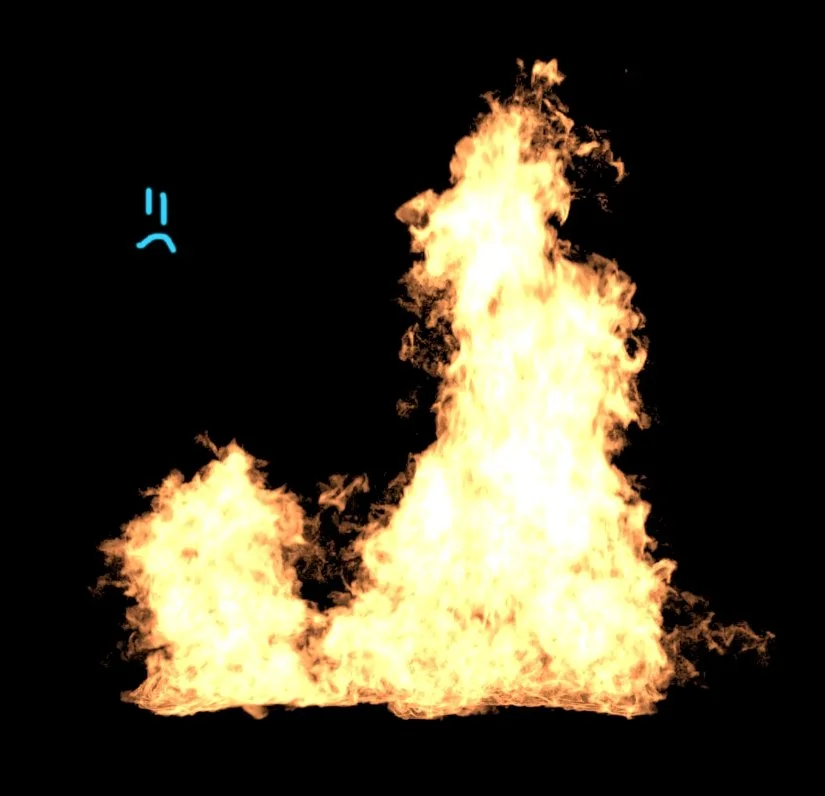
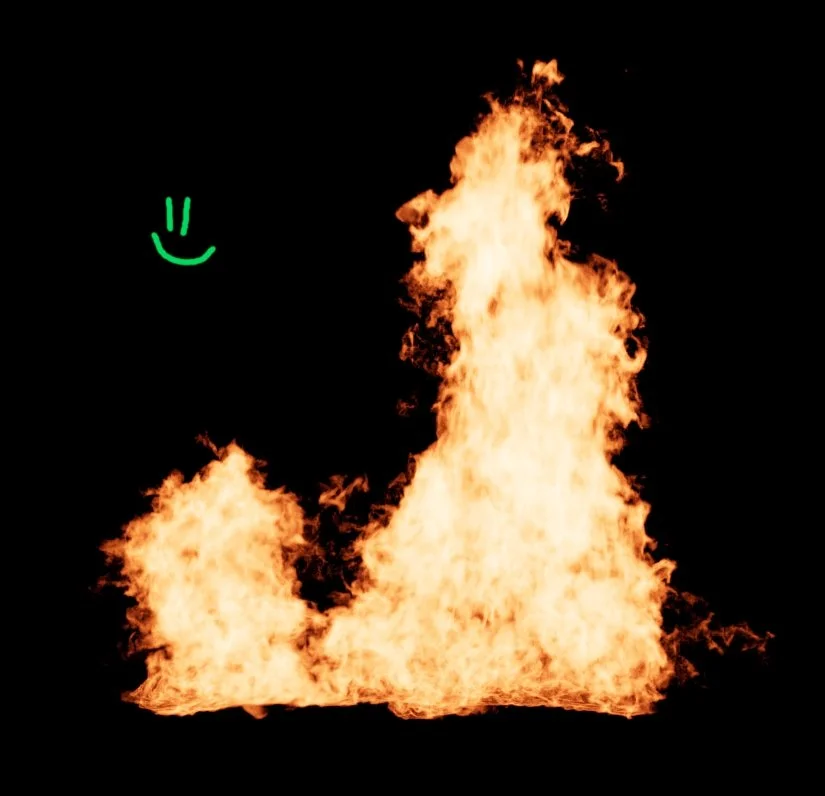
Same fire, two view transforms. On the left, sRGB lets the hottest part of the flame slam straight into pure white. The result is a flat, papery core with a hard edge. On the right, the ACES rolloff holds colour and gradient right through the brightest part of the fire. Nothing about the render changed. Only the curve carrying it to the screen.
Whenever I see clipped, blown-out highlights in a demo reel or a lower-budget show, it genuinely makes me a little sad, because it's one of the easiest problems in the whole image to fix. Work in ACES and it's simply handled for you. And even if you're not in ACES, just knowing to roll your highlights off in a pleasing way, instead of letting them slam flat into white, gets you most of the way there.
A bright spot, sliced in half
Brightness profile across one CG highlight, peak ~5x scene-linear
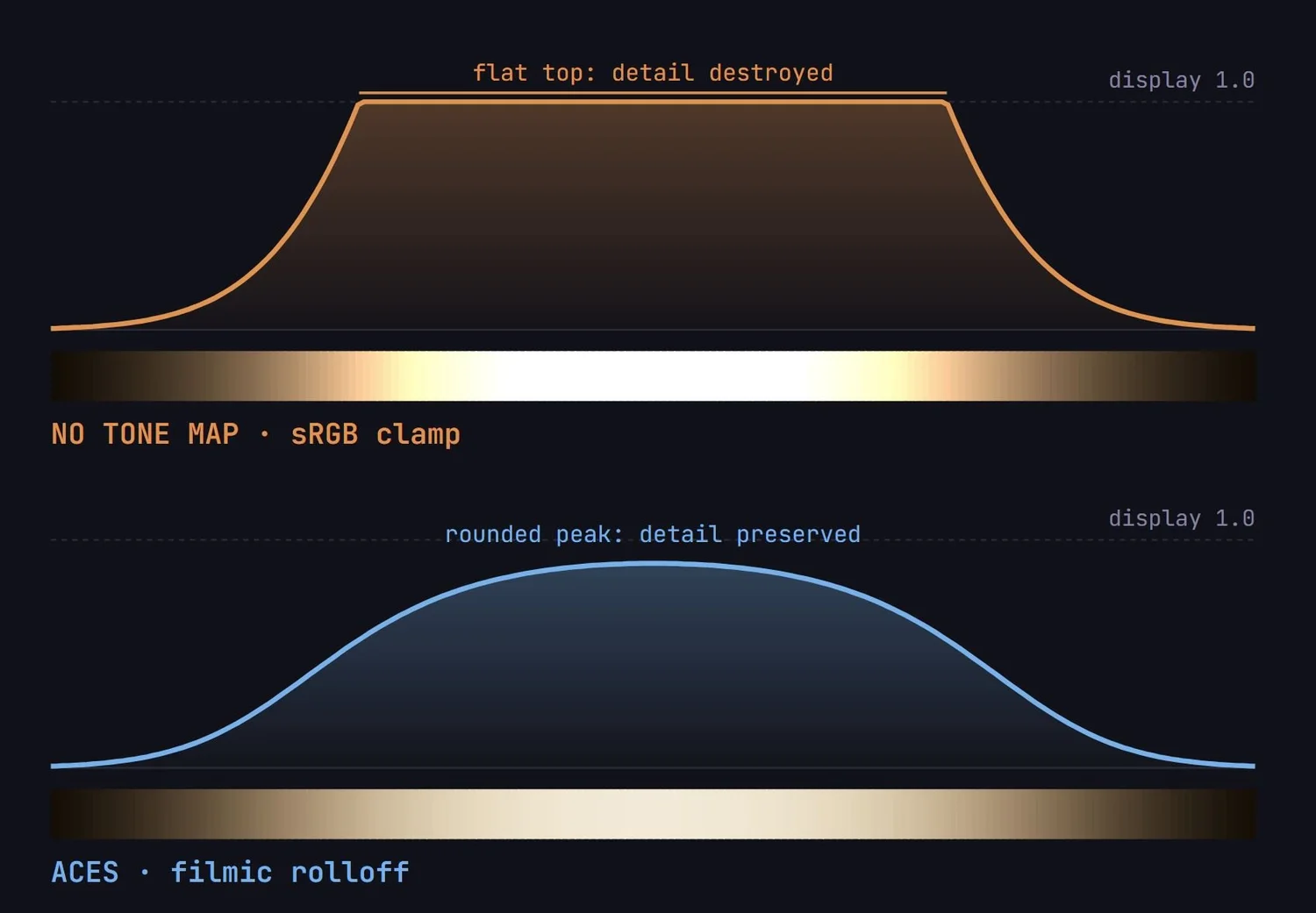
The same highlight, profiled left-to-right. Under sRGB the peak gets its top sliced clean off. You get a flat-topped plateau where six different brightness levels all read as one identical white, and the colour drifts to yellow as the channels clip one at a time. Under ACES the peak stays a peak: rounded, continuous, hue intact. The shape of the light is preserved instead of decapitated.
The same explosion core, both ways
A hot CG element, left half clamped, right half tone-mapped
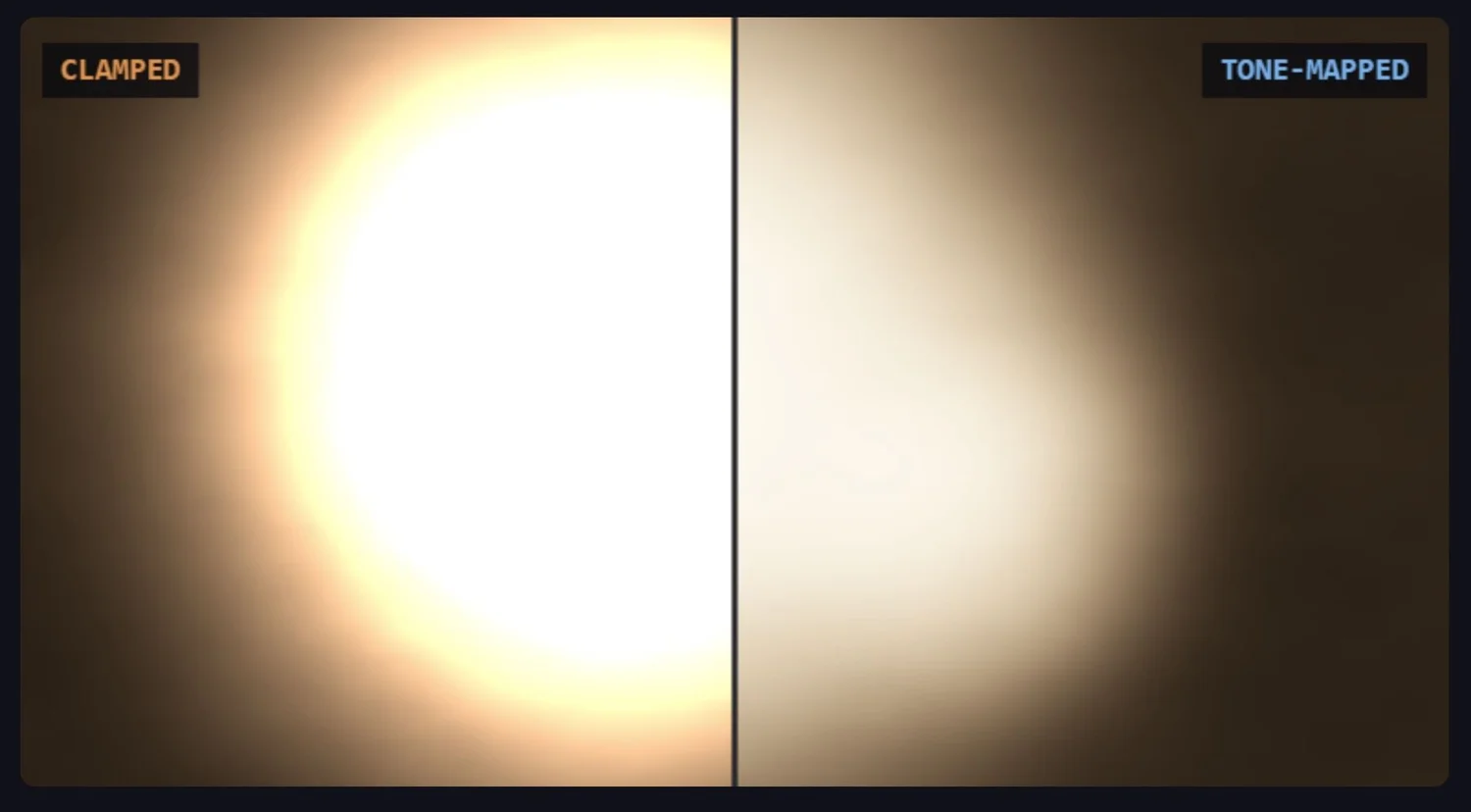
One bright element, split down the middle. The clamped half collapses the hot core into a featureless white disc with a hard, papery edge. The falloff and the fire structure are simply not there. The tone-mapped half holds colour and gradient right through the core, so the brightness still reads as something with shape and heat. Same data. Only the transfer curve changed.
What ACES is actually doing
A render has no brightness ceiling. The values pouring out of it run from zero up to whatever. A blown sky, the disc of a sun, a hot practical light can all sit far above 1.0. That's scene-referred: numbers describing real light, with no upper limit. Your monitor has no such freedom. It's display-referred: it physically can't show anything past 1.0, and it can't even reproduce every colour your eye can see.
Something has to bridge those two worlds. That's the whole job of the ACES viewer transform, the thing you switch on once in your project settings and then mostly forget about.
The old way of bridging the gap was crude: take the scene values, push them at the monitor through a basic brightness curve, and let anything too bright simply clip off. ACES does something smarter. As it brings your image to the screen, it gently compresses the bright values instead of cutting them. That wide range of scene brightness, from 1.0 up to around 16, gets eased down into the 0–1 your monitor can show, rather than slammed against the ceiling. That gentle compression is the highlight rolloff. It's the same curve doing the work in every visual below.
And one honest footnote: the exact shape of that rolloff isn't a law of physics. It was chosen. A panel at the Academy decided what looked best, and that's the curve the whole industry now works through.
The clamp vs. the curve
Transfer function: scene-linear input mapped to display output
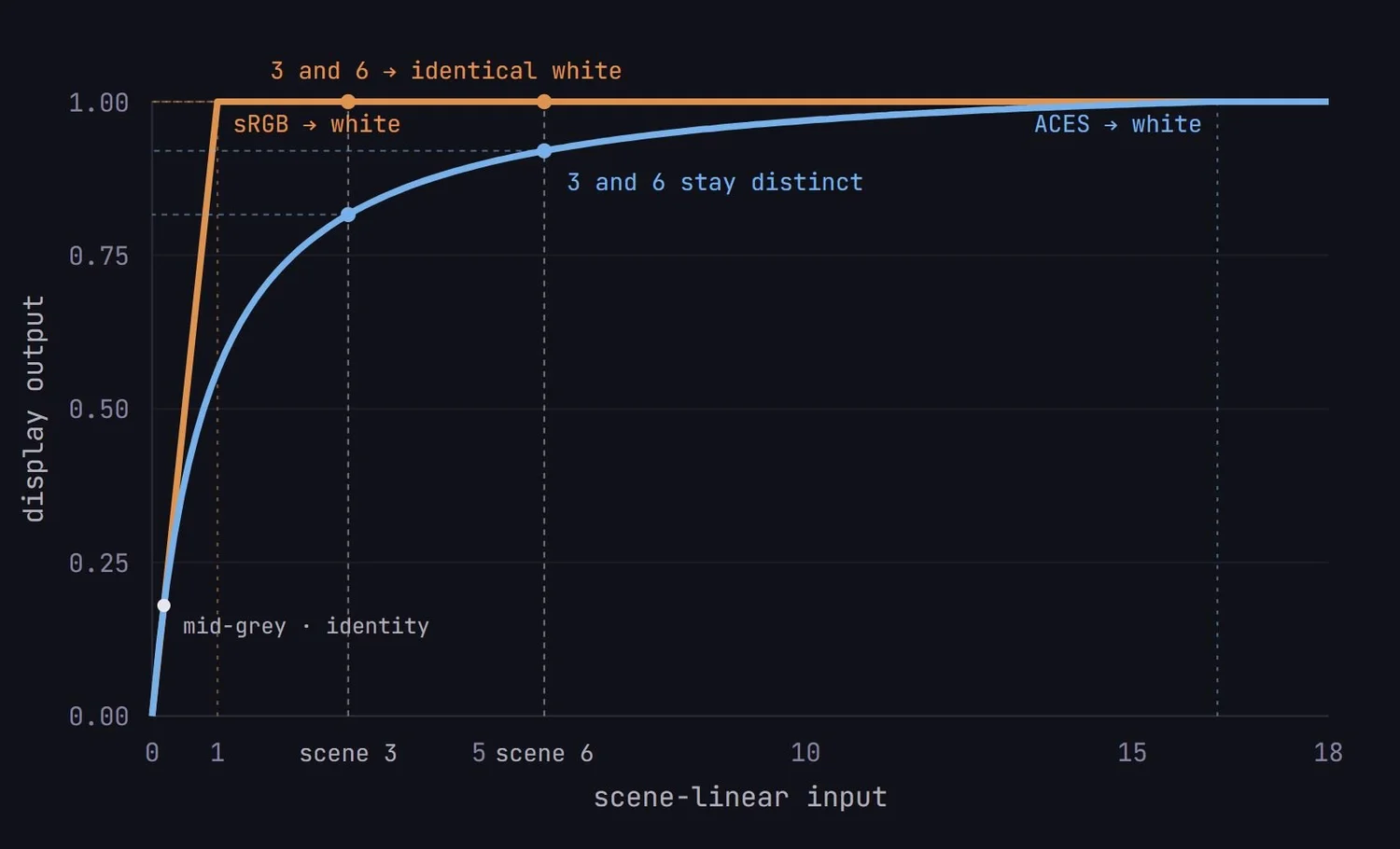
Both transforms map your scene-linear data onto the 0–1 the monitor can show. sRGB does it with a straight line into a wall: everything above scene-linear 1.0 is cut to display white. ACES does it with a curve that keeps bending. It never stops mapping, just compresses harder as it climbs, touching display white only around scene-linear 16.3. Look at the two grey lines on the graph: those are two bright pixels at different scene values. Under sRGB they both get crushed to the exact same white — the render knew they were different, the screen does not. Under ACES they stay two distinct shades. That surviving difference between them is your highlight detail.
What survives in the highlights
A warm element ramped 0 to 8x scene-linear, with fine texture on top
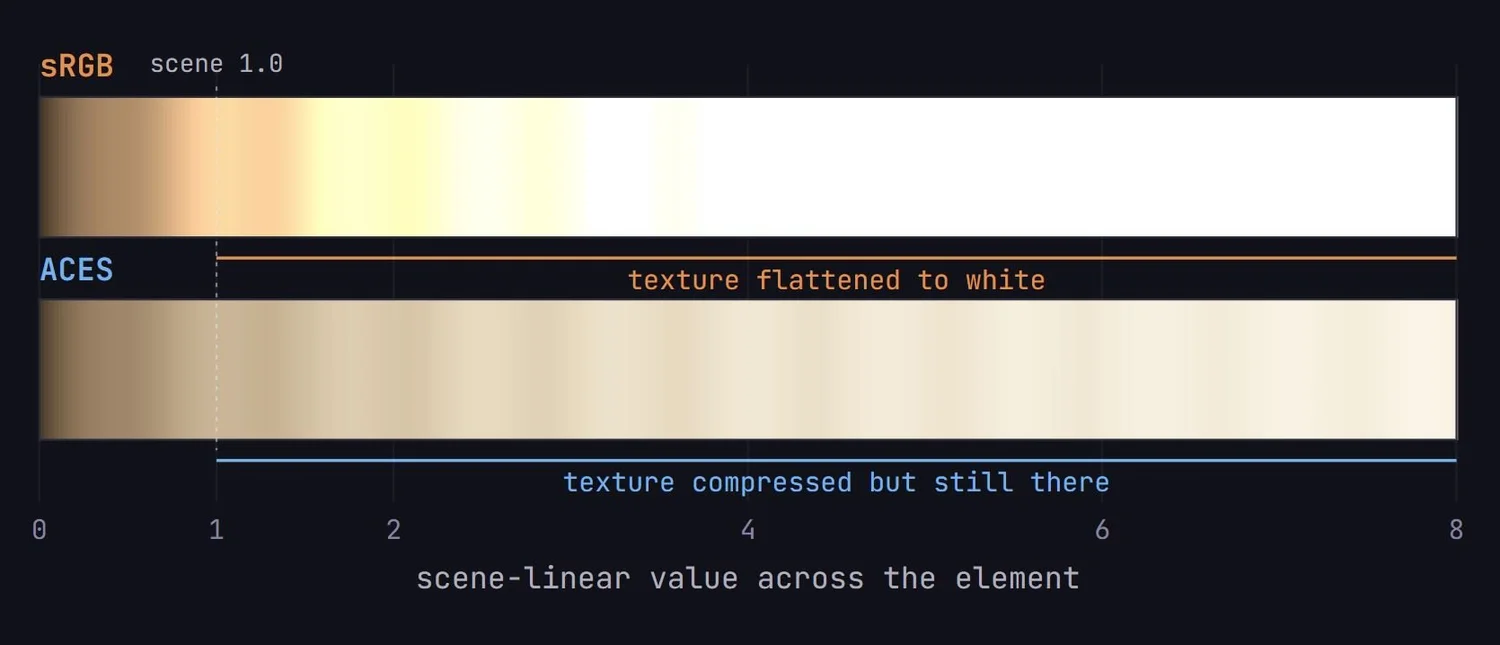
The ripple is texture, the fine detail inside a bright element. Below scene-linear 1.0 both views carry it fine. Past 1.0, sRGB clamps everything to white and the texture is gone: a dead flat band, the unmistakable "CG blew out" look. ACES keeps compressing, so the texture rides all the way up the ramp: fainter as it climbs, but never erased. That is the whole pitch. Rolloff keeps highlight detail.
How much headroom you actually gain
Stops of highlight range above mid-grey before the display hits white
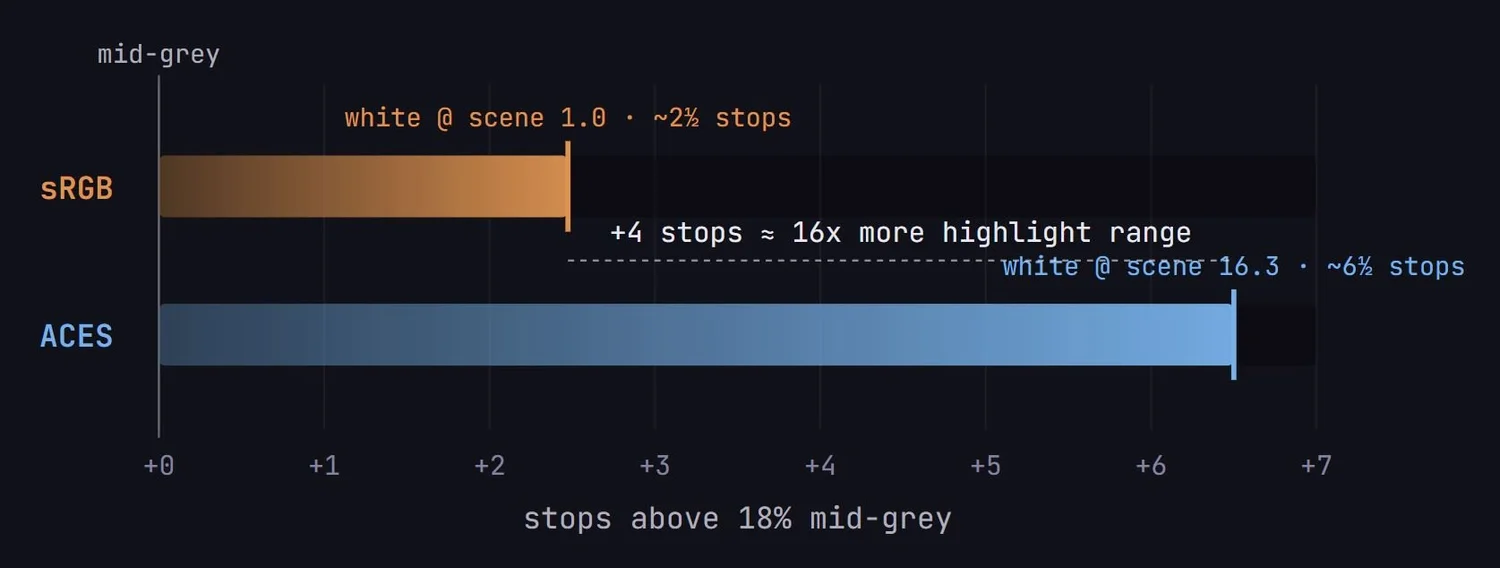
Measured in stops above an 18% grey card. sRGB runs out of highlight at scene-linear 1.0, roughly 2½ stops over mid-grey. ACES keeps resolving detail to scene-linear 16.3, about 6½ stops. That's ~4 extra stops, or 16x more brightness handled before the image flattens. Explosions, suns, muzzle flashes and specular hits all live in exactly that upper range.
Get your highlights rolling off properly! For something handled by one project setting, it might be the cheapest upgrade to your image quality you'll ever make.
— Alex

Your Instructor
Alex Hanneman

Senior VFX Compositor with feature-film credits at Weta Digital, Industrial Light & Magic and Sony Pictures Imageworks.
Want to learn Compositing?
Develop your images to a feature-film level.
Every course, workshop, and bundle in one place.